
In the fast-paced world of custom apparel printing, efficiency and quality are the keys to staying competitive. If you're tired of wasting time and material on small, individual prints, a DTF Gangsheet might be the game-changer you need. This guide dives deep into what gangsheets are, how to use them, and why they've become a staple in print shops worldwide.
What Exactly Is a DTF Gangsheet?
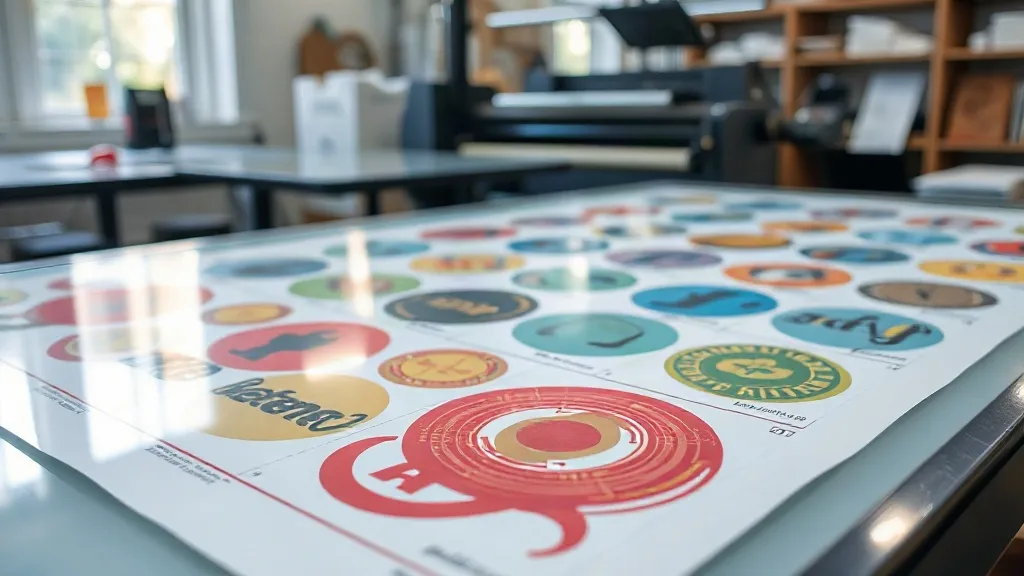
A DTF (Direct-to-Film) gangsheet is a large sheet of transfer film that holds multiple designs printed simultaneously. Instead of printing one design at a time, you arrange several graphics on a single sheet, maximizing the use of film and ink. Once printed, the sheet is powdered with adhesive, cured, and then cut into individual transfers. This method is a huge time-saver for businesses that handle varied orders or need to produce large quantities quickly.
Why Gangsheets Are a Smart Choice for Your Business
Gangsheets offer a plethora of benefits that can directly impact your bottom line. Here are some compelling reasons to adopt them:
- Cost efficiency: By printing multiple designs on one sheet, you reduce film waste and ink consumption, lowering your cost per transfer.
- Time savings: Batch printing means fewer setup changes and faster production runs, allowing you to take on more orders.
- Consistency: Printing all designs in one go ensures uniform color and quality across the entire batch.
- Versatility: You can mix different sizes and designs on the same sheet, making it perfect for custom orders and sample packs.
For a deeper dive into the technical aspects, check out our DTF Gangsheet page.
How to Create a DTF Gangsheet: Step by Step
Creating a gangsheet is straightforward if you follow a systematic approach. Here’s a step-by-step guide to get you started.
1. Design Preparation
Start by preparing your designs in a vector or high-resolution raster format. Ensure all graphics have a transparent background and are sized correctly. Group similar colors or designs together to streamline the printing process.
2. Layout and Nesting
Use a gangsheet layout tool or software to arrange your designs on the film. Nesting algorithms can help minimize wasted space. Aim for a layout that maximizes film usage while leaving a small margin between designs for easy cutting.
3. Printing and Powdering
Print the gangsheet using a DTF printer with appropriate ink and film. Immediately after printing, apply hot-melt adhesive powder evenly across the wet ink. Shake off excess powder and cure the sheet under a heat source until the powder melts and forms a smooth layer.
4. Cutting and Finishing
Once cured, cut the gangsheet into individual transfers. You can use a vinyl cutter or scissors, depending on the complexity of the designs. Store the transfers in a cool, dry place until ready to use.
Ordering DTF Gangsheets: What to Look For
If you prefer to outsource, many companies offer gangsheet printing services. When choosing a supplier, consider these factors:
- Film quality: High-quality film ensures vibrant colors and durable transfers.
- Turnaround time: Fast production and shipping are crucial for meeting deadlines.
- Pricing: Compare cost per square inch or per transfer to get the best value.
- Customer support: A responsive team can help with file setup and troubleshooting.
For reliable service, explore our recommended DTF Gangsheet options.
Common Mistakes to Avoid with DTF Gangsheets
Even experienced printers can slip up. Watch out for these pitfalls:
- Overcrowding: Leaving too little space between designs makes cutting difficult and can lead to peeling.
- Inconsistent powdering: Uneven adhesive powder causes poor adhesion and wash durability issues.
- Improper curing: Under-curing results in transfers that crack; over-curing can melt the film.
- Ignoring film specifications: Using incompatible film with your printer can cause jams and poor print quality.
Maximizing Efficiency with Gangsheets
To truly reap the benefits, integrate gangsheets into a lean workflow. Consider batching orders by color or design theme, and use software to automate layout. Keep a library of pre-made gangsheet templates for recurring orders. Regularly maintain your printer to avoid downtime, and train staff on proper handling to reduce errors.
Frequently Asked Questions About DTF Gangsheets
What is the maximum size for a DTF gangsheet?
Most DTF printers support film widths up to 13 or 24 inches, but gangsheet length can be as long as your printer allows, often up to several feet. Check your printer’s specifications for exact limits.
Can I mix different fabric types on one gangsheet?
Yes, DTF transfers adhere to a wide range of fabrics, including cotton, polyester, and blends. However, always test wash durability on specific fabrics before committing to large orders.
How long can I store unused DTF transfers?
When stored in a cool, dry place away from direct sunlight, DTF transfers can last up to 6 months without significant degradation. Avoid folding or creasing the transfers.
Do I need special equipment to apply DTF transfers?
A heat press is essential for professional results. Set it to 325°F (160°C) and press for 10-15 seconds with medium pressure. Peel the film cold for best results.
Is DTF printing more expensive than screen printing?
For small to medium runs with multiple colors, DTF is often more cost-effective due to no setup fees. For large single-color orders, screen printing may be cheaper. Evaluate based on your specific needs.
Final Thoughts
Embracing DTF gangsheets can transform your printing operation, making it faster, more economical, and versatile. Whether you’re a small startup or an established shop, integrating this method into your workflow is a step toward greater efficiency and customer satisfaction. Start experimenting with gangsheets today and watch your productivity soar.