
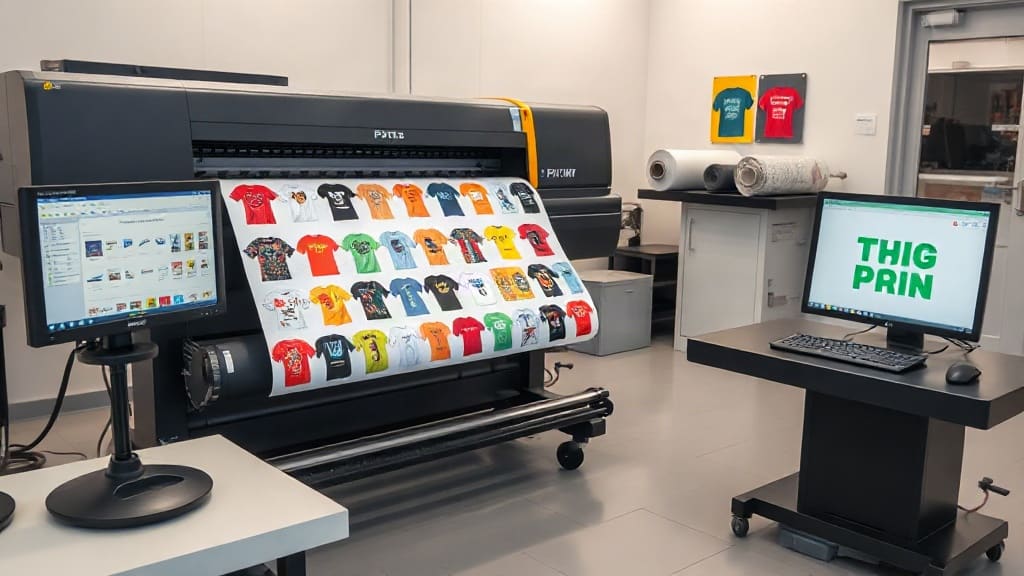
If you're in the custom apparel business, you've likely heard about DTF printing, or Direct to Film. It's a game-changer for producing vibrant, durable transfers on a wide range of fabrics. But as your order volume grows, manually arranging designs on a film sheet becomes a bottleneck. That's where a DTF gangsheet builder comes in. This tool isn't just a convenience; it's a strategic asset that can slash your production time, minimize material waste, and scale your business. In this guide, we'll dive deep into what a DTF gangsheet builder is, why it matters, and how to use it like a pro to stay ahead of the competition.
What Exactly Is a DTF Gangsheet Builder?
A DTF gangsheet builder is a software tool that helps you arrange multiple DTF designs onto a single sheet of film before printing. Think of it as a digital puzzle solver: you upload your artwork, and the builder automatically or manually positions each design to use every inch of the film efficiently. The goal is to create a "gang sheet" (hence the name) that contains as many transfers as possible without overlapping or wasting space.
Why does this matter? DTF printing involves printing onto a special film, applying adhesive powder, and then heat-pressing the transfer onto a garment. The film itself is a significant cost, and any unused area is money thrown away. A DTF gangsheet builder ensures you're getting the most out of every sheet, which directly impacts your bottom line.
Manual vs. Automated Gangsheet Building
Before digital tools, print shops would manually arrange designs using graphic software like Photoshop or Illustrator. This method works, but it's time-consuming and prone to human error. Automated builders, on the other hand, use algorithms to optimize layout instantly. They can rotate, scale, and nest designs to fill gaps, often achieving higher density than a human could in the same amount of time.
Some advanced DTF gangsheet builder tools even integrate with your order management system, pulling in designs from incoming orders and generating print-ready gang sheets with a single click. That level of automation is a game-changer for high-volume shops.
Why You Need a DTF Gangsheet Builder in Your Workflow
If you're still on the fence, consider the tangible benefits. A DTF gangsheet builder is not just a luxury; it's a necessity for any serious DTF printer. Here's why:
- Cost Savings: Film and ink are expensive. By maximizing sheet usage, you reduce waste and lower your cost per transfer. Even a 10% improvement in density can lead to thousands of dollars in annual savings.
- Time Efficiency: Manually arranging designs can take 15-30 minutes per sheet. An automated builder does it in seconds, freeing you to focus on other tasks like customer service or marketing.
- Consistency and Quality: Automated nesting ensures proper spacing between designs, preventing ink bleeding or overlapping that can ruin a print. It also maintains consistent orientation, which is crucial for designs with text or directional elements.
- Scalability: As your order volume increases, manual methods become unsustainable. A DTF gangsheet builder allows you to handle more orders without hiring additional staff or working overtime.
- Reduced Errors: Human error is inevitable when manually placing designs. You might forget to mirror an image, or misalign a cut line. A builder eliminates these mistakes by following preset rules.
In short, a DTF gangsheet builder pays for itself quickly through material savings and increased throughput.
Key Features to Look for in a DTF Gangsheet Builder
Not all gangsheet builders are created equal. When choosing a tool, consider these features to ensure it meets your needs:
1. Automatic Nesting and Optimization
The core function of any builder is to arrange designs efficiently. Look for software that uses advanced algorithms to rotate and nest designs, filling every available space. Some tools allow you to set parameters like minimum spacing between designs and preferred rotation angles.
2. Support for Various File Formats
Your builder should handle common file types like PNG, PDF, AI, and EPS. It should also support transparent backgrounds, which are essential for DTF printing. Ideally, it will preserve vector data for crisp edges.
3. Custom Sheet Sizes
DTF film comes in various widths (e.g., 13", 17", 24") and you can print sheets of custom lengths. A good builder lets you define the sheet size to match your printer's capabilities and your order requirements.
4. Integration with RIP Software
Your gangsheet builder should seamlessly export to your RIP (Raster Image Processor) software, which prepares the file for printing. Look for direct export options or the ability to save in a format your RIP accepts.
5. Barcode and QR Code Generation
For larger operations, the ability to add barcodes or QR codes to each design on the sheet can streamline order fulfillment. When the sheet is printed, you can scan the code to know which order it belongs to.
6. Cloud-Based vs. Desktop
Cloud-based builders offer accessibility from any device and automatic updates. Desktop software might be faster and more secure but requires installation and manual updates. Choose based on your team's workflow.
How to Use a DTF Gangsheet Builder: Step-by-Step
Ready to get started? Here's a typical workflow using a DTF gangsheet builder:
- Gather Your Designs: Collect all the artwork you need to print. Ensure each design is in a compatible format and sized correctly. If you're using a builder with order integration, this step might be automated.
- Set Sheet Parameters: Specify the film width and the desired length of your gang sheet. Common lengths are 12", 24", or 36", but you can customize based on your printer.
- Upload and Arrange: Import your designs into the builder. Most tools will automatically nest them. You can then manually adjust positions, rotate, or scale designs as needed.
- Optimize and Preview: Use the builder's optimization feature to tighten the layout. Preview the sheet to ensure no designs overlap and that there's adequate spacing for cutting.
- Export and Print: Once satisfied, export the gang sheet as a high-resolution file (usually PDF or TIFF) and send it to your DTF printer via your RIP software.
- Apply Powder and Cure: After printing, apply adhesive powder, shake off excess, and cure the sheet according to your powder and film instructions.
- Press and Enjoy: Cut out individual transfers and heat press them onto garments. The result is a professional, durable print.
With practice, this process becomes second nature, and you'll wonder how you ever managed without a builder.
Best Practices for Maximizing Gangsheet Efficiency
Even with a powerful builder, there are strategies to get even more out of your gang sheets:
- Group Similar Sizes: If you have many small designs, group them together to fill gaps around larger ones. The builder will do this automatically, but you can manually tweak for better results.
- Rotate Designs Thoughtfully: While rotation can save space, be careful with designs that have text or directional elements. Ensure they remain readable.
- Use Nesting with Cut Lines: If your builder supports cut lines, enable them. This makes cutting out transfers faster and more accurate.
- Regularly Update Software: Builders improve over time with better algorithms. Keep your software updated to benefit from the latest optimizations.
- Train Your Team: Ensure everyone knows how to use the builder effectively. A little training goes a long way in preventing costly mistakes.
Remember, the goal is to minimize waste while maintaining quality. Don't sacrifice print integrity for a slightly denser sheet.
Common Mistakes to Avoid with DTF Gangsheet Builders
Even seasoned pros can fall into traps. Here are pitfalls to watch out for:
- Overcrowding: Packing designs too tightly can cause ink to bleed between them, ruining the sheet. Always leave a small gap (1-2mm) between designs.
- Ignoring Print Direction: Some DTF printers have a preferred direction for film feeding. Ensure your designs are oriented correctly to avoid jams or misprints.
- Forgetting to Mirror: DTF transfers are printed in reverse (mirrored) so they appear correct when pressed. Most builders automatically mirror, but double-check your settings.
- Using Low-Resolution Images: Garbage in, garbage out. Always use high-resolution artwork (300 DPI or higher) to avoid pixelated prints.
- Neglecting Color Management: Ensure your builder and RIP software are calibrated for accurate colors. What you see on screen should match the final print.
Avoiding these mistakes will save you time, money, and frustration.
Frequently Asked Questions About DTF Gangsheet Builders
What is a DTF gangsheet builder and why do I need one?
A DTF gangsheet builder is software that arranges multiple DTF designs onto a single film sheet for efficient printing. You need one to reduce material waste, save time, and increase production capacity. Without it, you're likely overspending on film and spending hours on manual layout.
Can I use a DTF gangsheet builder with any DTF printer?
Most builders are compatible with any DTF printer, as long as you can export the gang sheet in a format your printer's RIP software accepts. However, some builders are tailored to specific printer brands. Check compatibility before purchasing.
How much can I save by using a DTF gangsheet builder?
Savings vary based on your volume and current efficiency. Shops often report 20-30% reduction in film waste after switching to a builder. If you spend $1,000 monthly on film, that's $200-$300 saved each month, plus labor savings from faster layout.
Is it hard to learn how to use a DTF gangsheet builder?
Not at all. Most modern builders have intuitive drag-and-drop interfaces. If you're comfortable with basic design software, you'll pick it up in an hour or two. Many providers offer tutorials and support to get you started.
Can I manually arrange designs instead of using a builder?
Yes, you can manually arrange designs using graphic software, but it's time-consuming and less efficient. A dedicated DTF gangsheet builder automates the process, reduces errors, and optimizes space far better than manual methods.
Embracing a DTF gangsheet builder is one of the smartest investments you can make for your DTF printing business. It streamlines your workflow, cuts costs, and positions you for growth. Whether you're a solo entrepreneur or managing a large shop, the right builder will become an indispensable part of your daily operations. So why wait? Explore the options, test a few, and watch your productivity soar.